Design Presets

Official preset

Product Launch Event

A page style that delivers a launch event invitation dramatically, with a single beam of light grazing a hidden device and thin type.

Type
Design
Quality score
9.0 / 10
Languages
KO · EN · JA · ZH
1 / 2

Where you can use it

  • Invitation to a product launch event
  • Live stream reminder sign-up page
  • Teaser invitation that builds pre-launch anticipation

Based on the official preview

Layout highlights

  • Full-screen black hero with a light beam revealing a hidden device
  • Three-line invitation copy, date and venue, and add-to-calendar buttons
  • Black, silver and cool white with widely tracked thin sans type

Based on the official preview

Choose a style

Two styles for the same goal. Compare the real previews and start with the one that fits.

Main style

Product Launch Event
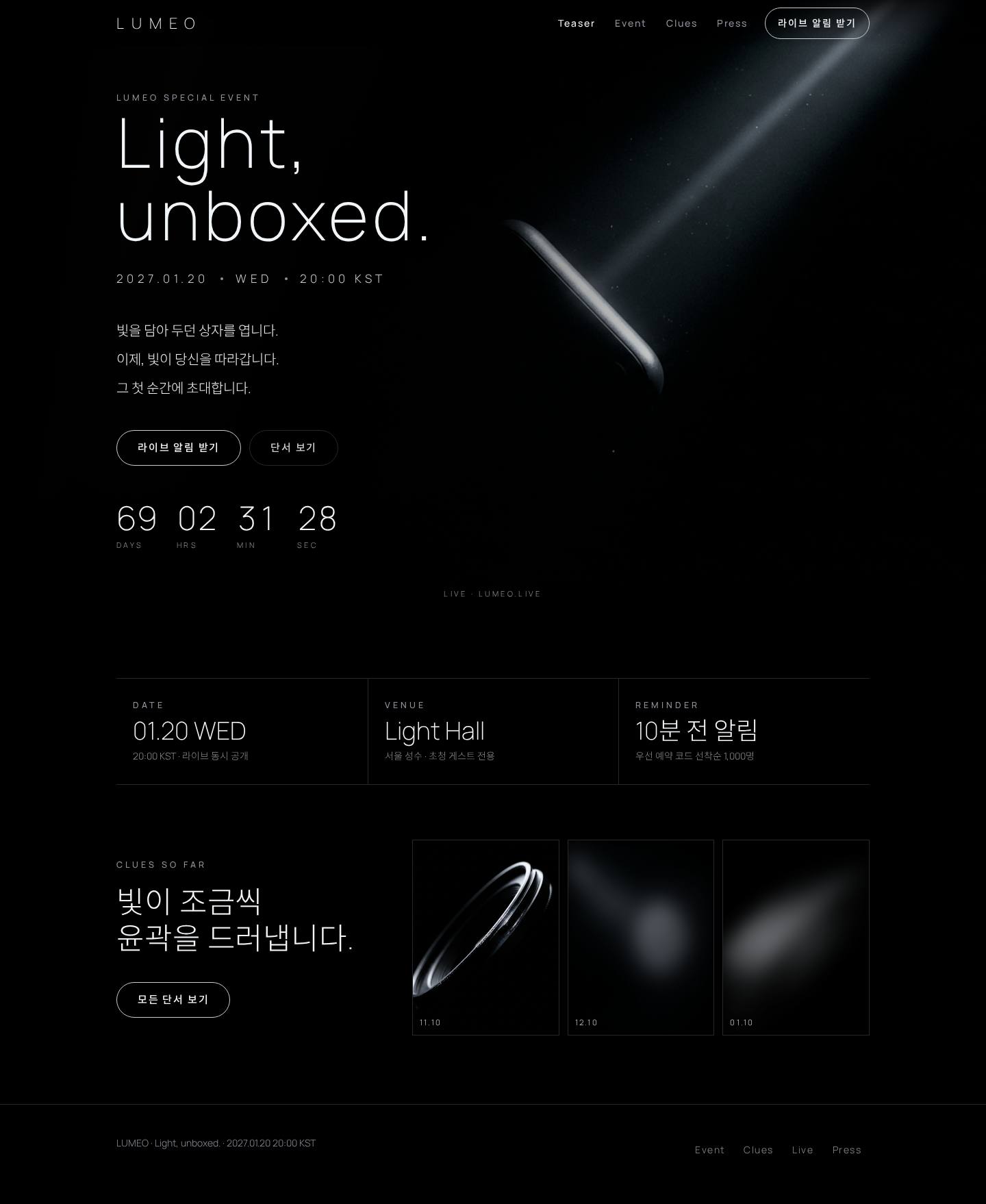
Product Launch Event Desktop
Desktop
Product Launch Event Mobile
Mobile

A page style that delivers a launch event invitation dramatically, with a single beam of light grazing a hidden device and thin type.

Best for: Teams inviting people to attend or watch a scheduled product launch event or livestream
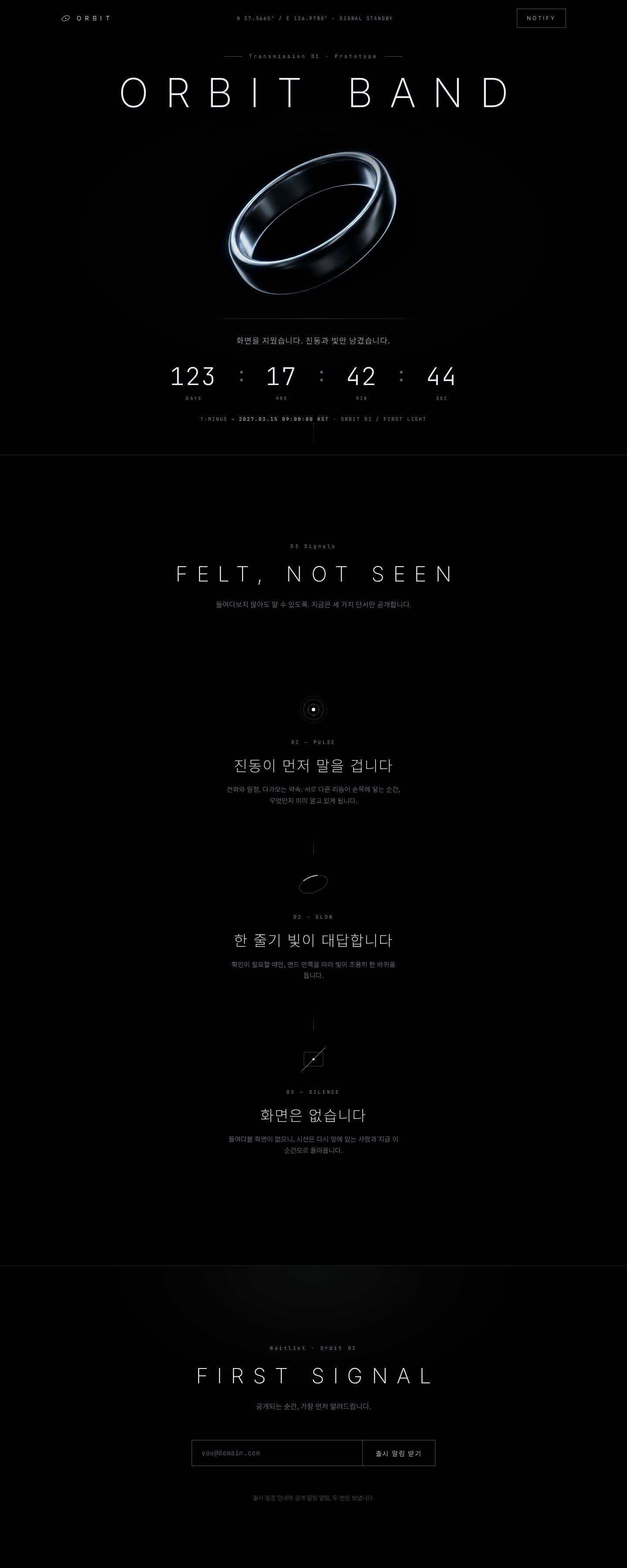

Variant

Teaser Countdown

Teaser Countdown Desktop
Desktop
Teaser Countdown Mobile
Mobile

A minimal pre-launch teaser page style with only a rim-lit silhouette on black, a countdown and an email sign-up.

Best for: Teams revealing only part of a product before launch and collecting an email waitlist

How the styles differ

  • Content: Product Launch Event has a date, venue and 10-minute reminder strip plus a three-image clue gallery; Teaser Countdown has three feature hints and an email waitlist field.
  • Layout: Product Launch Event uses a left-aligned hero; Teaser Countdown is fully centered around a single product silhouette.
  • Purpose: Product Launch Event invites people to an in-person or live launch; Teaser Countdown collects a pre-launch waitlist.

How to create

  1. 01Select Create with this preset to open a new design screen with this style selected.No credits used
  2. 02Describe the content and purpose of your page.Enter your content
  3. 03Review the estimated credits shown before running, then run it and the Design Agent builds the page.Generate, then edit

FAQ

Are credits charged when I click the button?
No. The button only opens a new screen with this style selected. Generation starts only after you enter your content and confirm the run.
Is the text and imagery from the preview copied in?
The preview is a style example. Your page is built from your own content, following its colors, fonts and layout direction.
Do I need to sign in?
Signing in is required to create. After you sign in, you return to the screen with this preset selected.

More presets
